Create a new pair of S3 keys
Important
Only users with the admin or member+ role can use the S3 Keys option.
This article explains how to create an S3 key pair. You can use the generated access key and secret key to connect to the S3 service with S3-compatible tools and applications. The S3 service provides object storage for files, datasets, backups, and application data. S3 keys act as credentials for authenticating to the service and are required for operations such as uploading, downloading, listing, and managing stored objects.
Prerequisites
1. Hosting account
You need an cloud environment account. For more information, see Log in to dashboard.
2. Knowledge of S3 usage and standard
For more information about the S3 service, see S3.
3. Storage service available
You can create an S3 key pair for each region where the S3 service is available for your account.
To check whether the storage service is enabled for your account, see Services available.
4. Admin or member+ role present
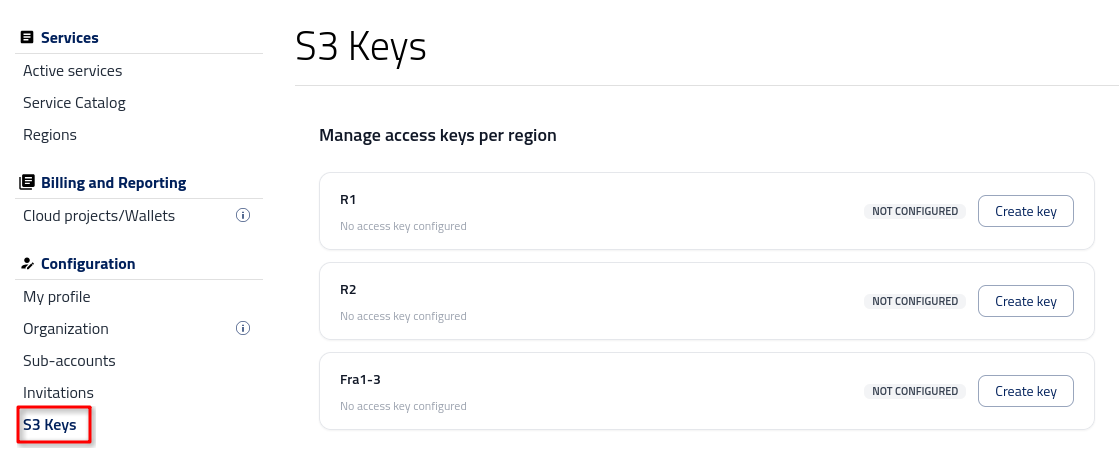
As already mentioned, you must have an admin or member+ role in order to work with S3 keys. If you have one of those two roles, the option S3 Keys will be present in the menu on the left side of the Dashboard. Users with the member role do not have that option at their disposal.
Generate S3 keys
When you access this option for the first time, all regions are labeled as NOT CONFIGURED. Click Create key to open a modal form.
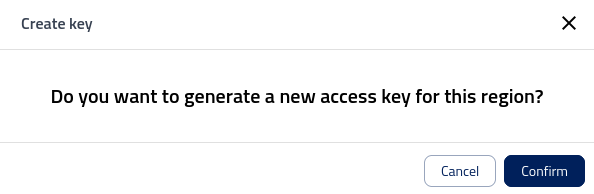
After clicking Confirm, the key pair is successfully generated and becomes available for use.
Click the eye icon to display the key on screen, and click the copy icon to copy its value to the clipboard.
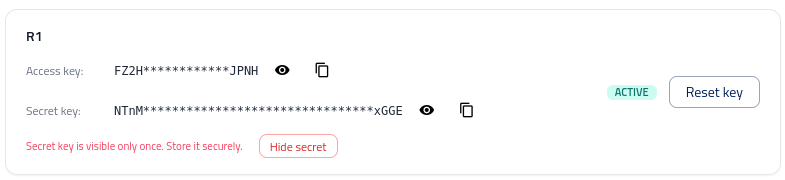
You will see a message at the top center of the window:

Copy both values and save them in a text editor or similar text-based application. Once you click Hide secret, you will not be able to view the value of the Secret key again.
Reset key
After you click Reset key, a modal window appears:
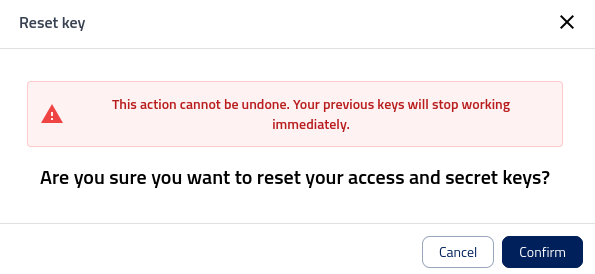
As indicated, existing keys stop working immediately. This is not an issue if they have not been deployed. However, if they are already in use and need to continue functioning, you must replace them wherever they are used.
If the existing keys have been compromised, this is the only available course of action. You can also use this option for key rotation, meaning that you intentionally invalidate the current keys and replace them with a new pair.
After you reset the existing keys, a new pair is generated automatically and you can copy it again.
Delete key
Existing keys cannot be deleted. Once a key pair is created, it remains available within the region.
What to do next
After you create or reset your S3 keys, you can use them to connect your tools, scripts, or applications to the S3 service. Store the keys securely and update any existing configurations if you replace an earlier key pair.