Removing user from Organization
This procedure removes a user from your organization in the portal.
After the user is unassigned, they no longer belong to your organization and will lose access to resources and views granted through that membership.
Prerequisites
No. 1 Hosting account
You need an active cloud environment hosting account and access to the portal https://my.cloud.eumetsat.int.
No. 2 Permissions
You need sufficient permissions to manage organization members.
Procedure
After logging in to the portal, open Sub-accounts from the left-side menu.
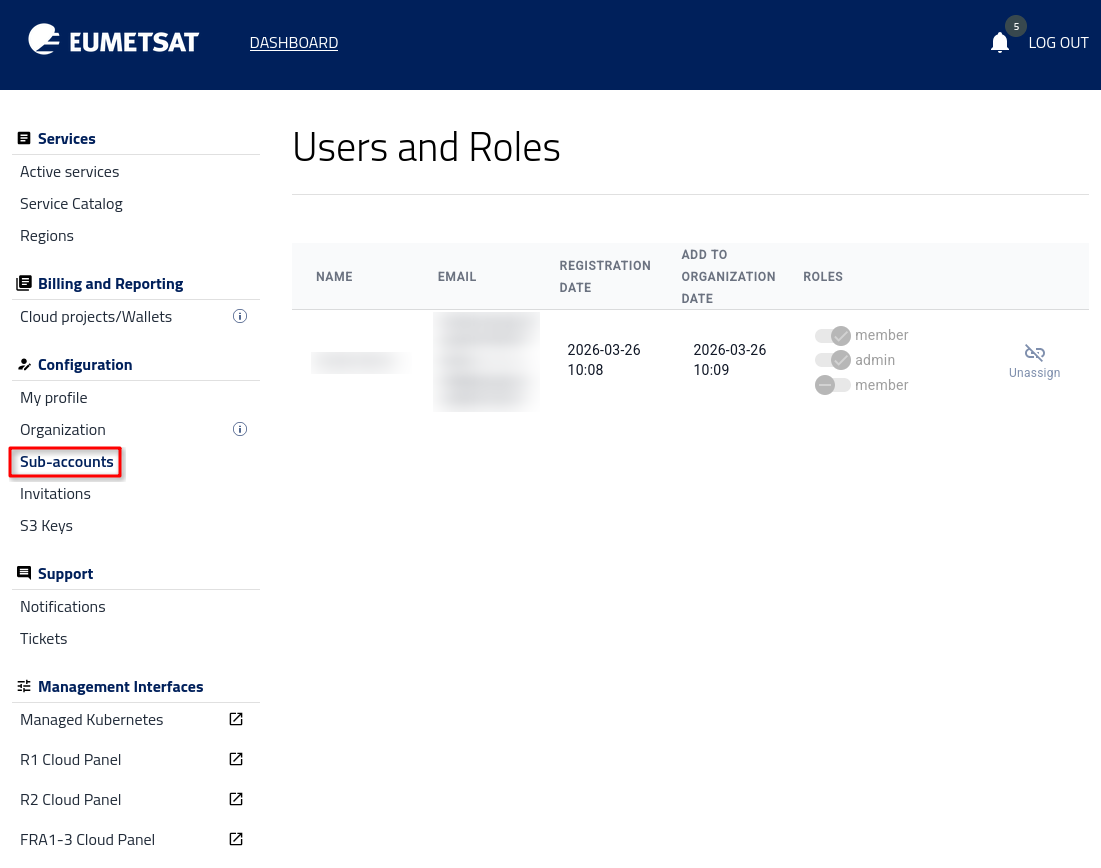
The page shows the users currently assigned to your organization.
Select the user you want to remove, click Unassign, and then click Confirm.
Result
The user is removed from your organization.
The removed user receives a notification informing them that they have been unassigned from the organization.