Active services
Monitoring cloud costs regularly helps you manage resource consumption and optimize spending. Click on Active services to view your usage and costs in two distinct ways:
Prerequisites
No. 1 Hosting account
You need an active user account and access to the cloud environment Dashboard at https://my.cloud.eumetsat.int.
Check active resources in Horizon
We will now gather data about the instances we used so that we can see the exact cost, using either of the billing reports options.
Before comparing billing reports, it helps to know which instances and flavors are active during the billing period. You can check this in Horizon → Compute → Overview → Usage Summary, as shown below.
Enter Horizon through one of the links from above.
Select the cloud you want to work with – here it will be FRA1-3.
Use command Compute -> Overview and scroll to the bottom of the browser window to see Usage Summary.
Table Usage displays instances active on that cloud in that period:
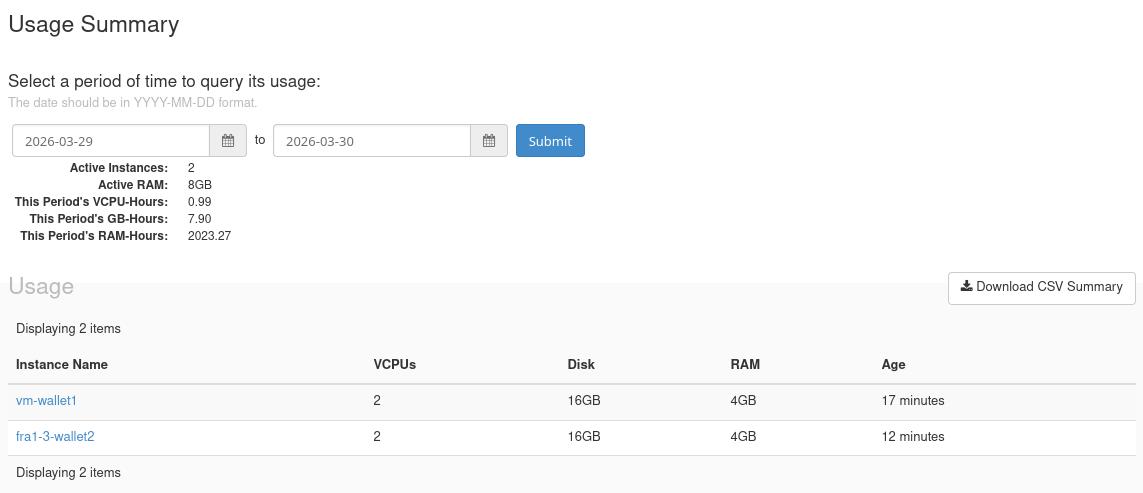
Usage summary in Horizon
Decide which resources you want to investigate further
As an example, click the name of the first instance and see which flavor it uses. You can directly see which resources are used on that cloud, in that period of time, and, consequently, you will be able to see how much they cost.
Open billing reports in Dashboard
Enter the Dashboard via https://my.cloud.eumetsat.int and click on Services -> Active services. This is the starting form to enter the data into:
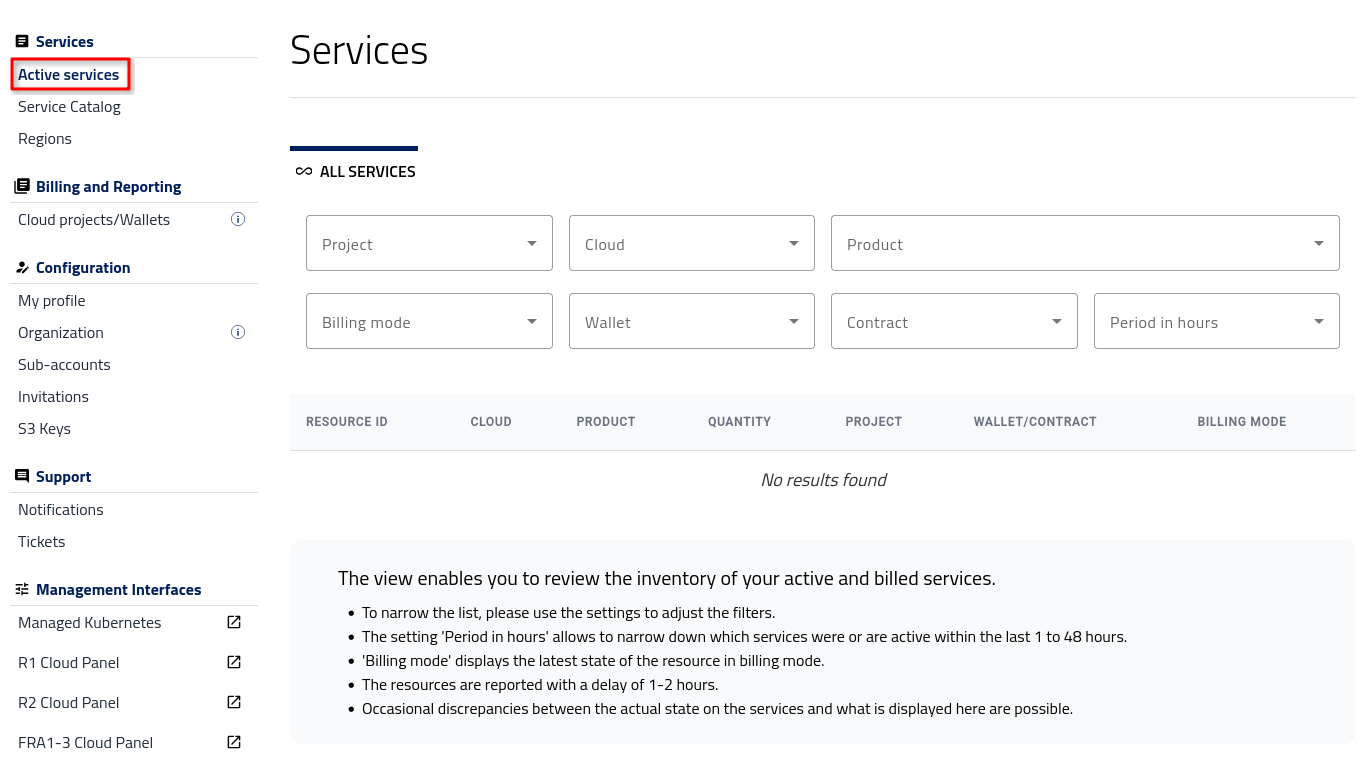
Active services screen
Define report filters
The same filter panel is used for both report types. It defines the time window, project, and cloud, and allows you to narrow your report by product, billing mode, and wallet.
Filters include:
Project – Choose one of your OpenStack projects.
Cloud – Available regions include FRA1-3, R1 and R2 denoted as ecis-r1, ecis-pr2 and fra1-3.
Product – Combination of cloud and product type (e.g. ecis-r1 / 1cpu-4gbmem). Use search files to narrow down the number of options.
Billing mode – PPU, PAYG, or FIXED-TERM.
Wallet – Payment source.
Contract – Predefined contract.
Period in hours - from 1 to 48 hours prior.