Obtain Managed Kubernetes API token
To interact with Managed Kubernetes programmatically, you need an API token. It grants secure access to the Managed Kubernetes API and is typically used with external tools such as:
Terraform: https://registry.terraform.io/providers/CloudFerro/cloudferro/latest
Managed Kubernetes CLI: https://github.com/CloudFerro/cf-mkcli
automation tools such as curl, CI/CD pipelines, and custom scripts
With an API token for Managed Kubernetes, you can programmatically initiate cluster lifecycle operations such as creating node pools, scaling them, and reading cluster parameters.
What We Are Going to Cover
Prerequisites
No. 1 Hosting account on cloud environment
To use Managed Kubernetes, you need:
a general cloud environment account https://my.cloud.eumetsat.int
access to the Managed Kubernetes dashboard at https://mks.cloud.eumetsat.int/
No. 2 Programmatic endpoints on cloud environment
Select the appropriate regional programmatic endpoint from:
Programmatic Endpoints for Managed Kubernetes
Use the endpoint for the same cloud region in which your cluster is running.
Generate token from GUI
Show Tokens option on screen
To get to the tokens view in Managed Kubernetes, find the Tokens button in the left sidebar:
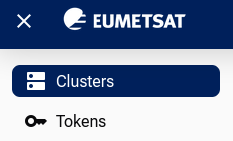
If the browser window or device screen is narrow, first click the hamburger icon in the upper-left corner.
Go to Tokens view
Click Tokens to open the tokens view in Managed Kubernetes. The following screenshot shows the situation in which no tokens have been created yet:
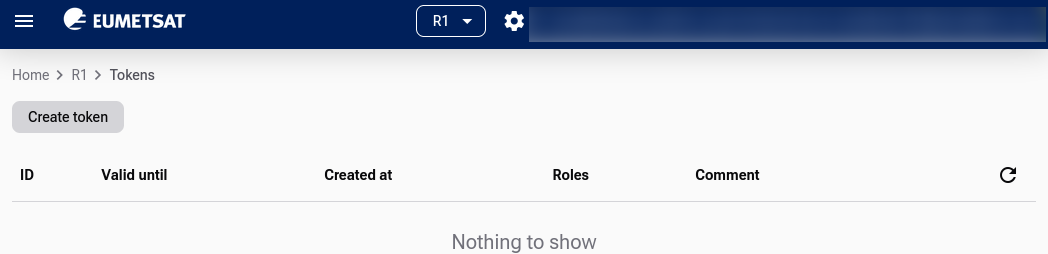
Click Create token, then choose validity, permissions, and add optional information.
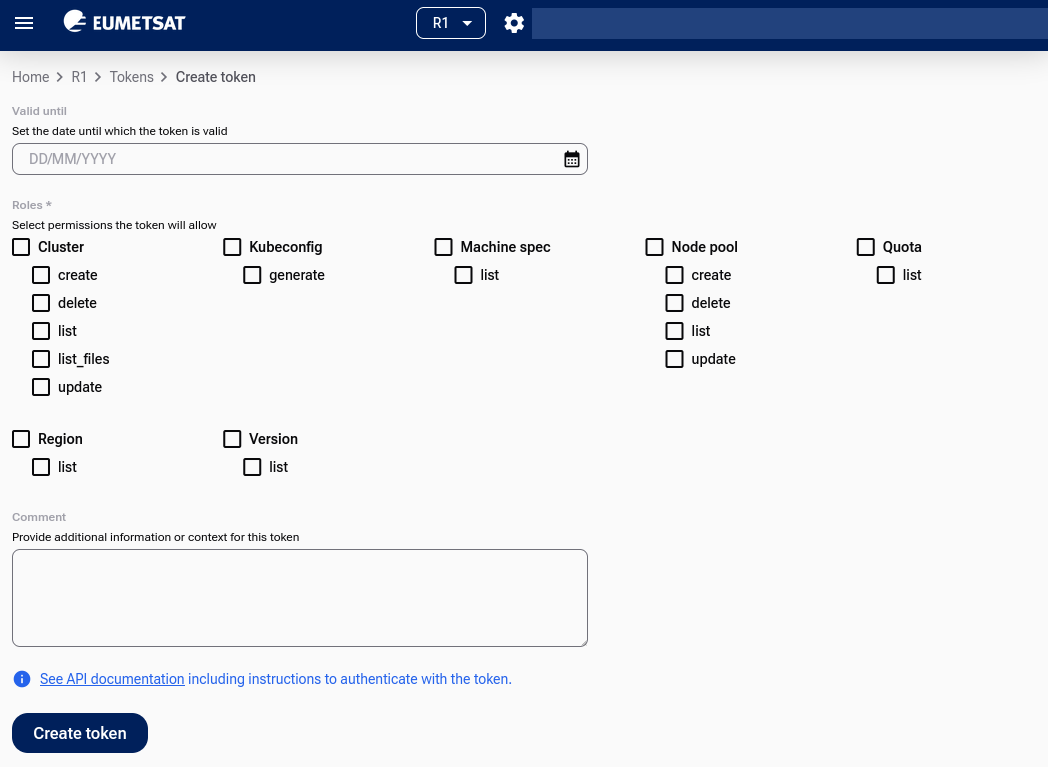
Create the token
Click Create token in that form.
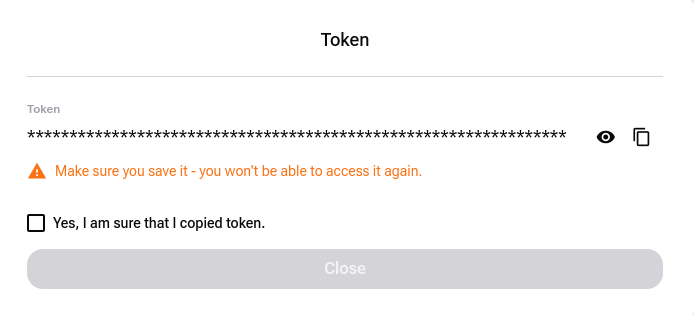
As a result, the token is generated. Make sure to note it down and store it securely, because it will not be shown again.
The list of tokens will now contain an additional entry:
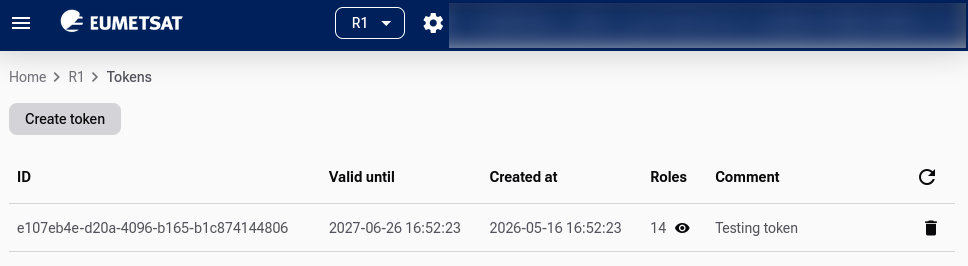
Click the eye icon in the Roles column to see the activated roles for the specific token:
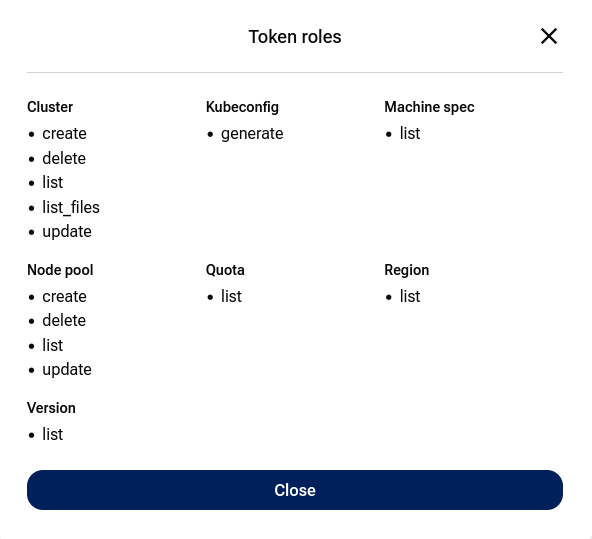
This list reflects the options you selected while creating the token.
Note
The image above shows API operations permitted by the token. Other operations may remain inaccessible if they were not selected while creating the token.
Access Managed Kubernetes API using the token
Work with API documentation
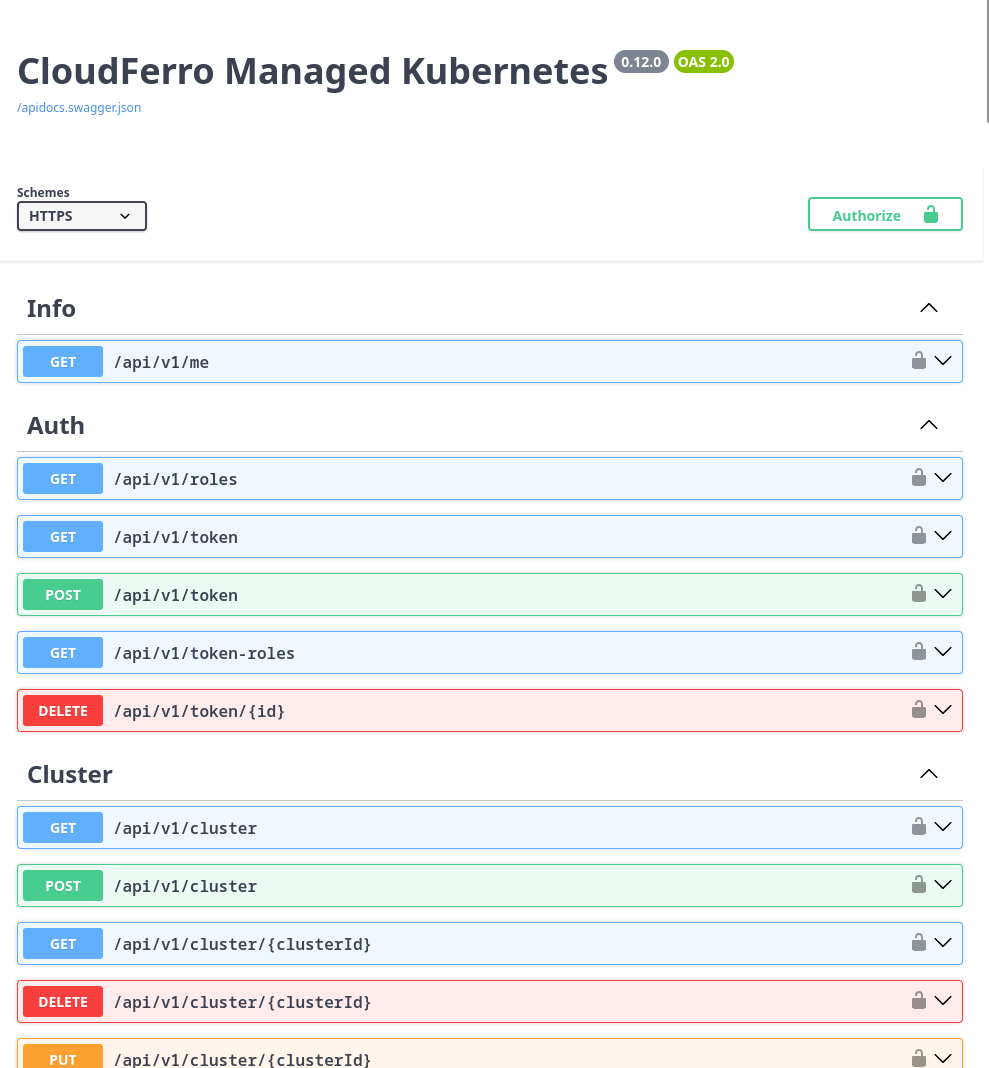
The detailed API documentation is available in Swagger. Use the Swagger URL for the same region in which your cluster is running.
Available Swagger URLs for cloud environment:
Obtain cluster ID
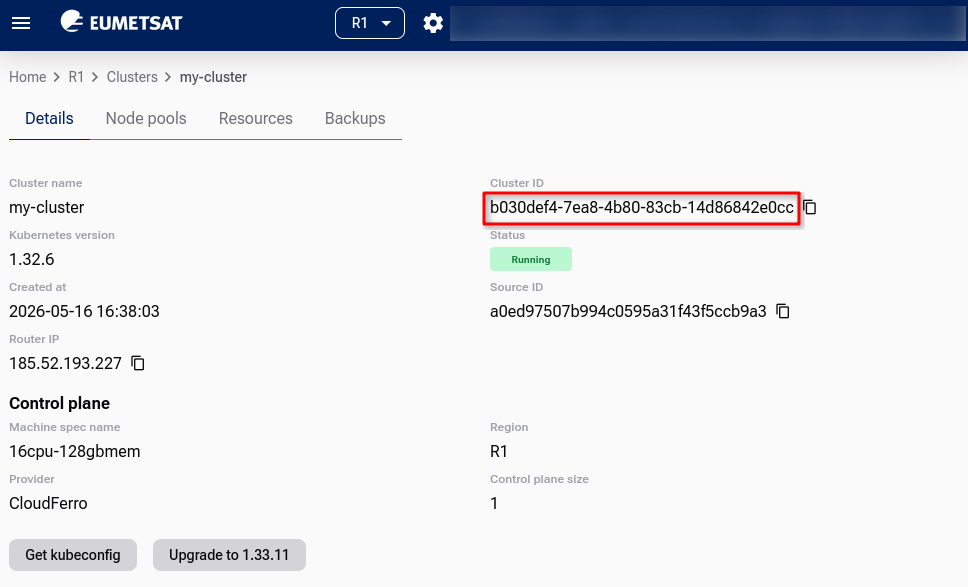
API access allows you to interact with Managed Kubernetes clusters and node pools. Most operations are performed in the context of a specific Kubernetes cluster, so you need the cluster ID before running cluster-specific API calls.
To obtain the cluster ID, click Home, select the region, and review the list of clusters. Select the cluster you want to work with. For example, let the cluster be called networktest. Clicking its name displays cluster data, including the Cluster ID.
Example: list cluster parameters
Assume that you have:
selected the correct programmatic endpoint from Prerequisite No. 2
obtained the value of CLUSTER_ID
generated the value of TOKEN
Replace the empty strings with your values of CLUSTER_ID and TOKEN. Then use the command for the region in which your cluster is running.
export CLUSTER_ID=""
export TOKEN=""

curl -X GET "https://mks.r1.cloud.eumetsat.int/api/v1/cluster/${CLUSTER_ID}" \
  -H "Authorization: Token ${TOKEN}" \
  -H "Content-Type: application/json"
export CLUSTER_ID=""
export TOKEN=""

curl -X GET "https://mks.r2.cloud.eumetsat.int/api/v1/cluster/${CLUSTER_ID}" \
  -H "Authorization: Token ${TOKEN}" \
  -H "Content-Type: application/json"
export CLUSTER_ID=""
export TOKEN=""

curl -X GET "https://mks.ela.cloud.eumetsat.int/api/v1/cluster/${CLUSTER_ID}" \
  -H "Authorization: Token ${TOKEN}" \
  -H "Content-Type: application/json"
Sample response:
{
  "id": "ece35b5a-8ffe-4d07-9523-639323abbfbb",
  "created_at": "2026-02-12T11:09:05.046651Z",
  "updated_at": "2026-02-12T11:19:16.923479Z",
  "name": "tf-waw4",
  "status": "Running",
  "control_plane": {
    "custom": {
      "size": 1,
      "machine_spec": {
        "id": "b003e1cf-fd40-4ad1-827c-cc20c2ddd519",
        "created_at": "2025-02-05T11:14:35Z",
        "updated_at": "2025-11-06T14:00:03.702987Z",
        "name": "eo2a.large",
        "provider": "CloudFerro",
        "cpu": 2,
        "memory": "7632",
        "local_disk_size": "32",
        "is_active": true,
        "tags": [
          "control-plane",
          "worker"
        ],
        "gpu": "NONE"
      },
      "name": "eccentric-salmon"
    }
  },
  "errors": [],
  "version": {
    "id": "d70785b2-4b01-4f59-8103-2c37479fbee2",
    "created_at": "2025-08-11T07:15:57.771816Z",
    "updated_at": "2025-08-11T07:15:57.771816Z",
    "version": "1.32.6",
    "eol": "2025-12-27T23:00:00Z",
    "info": "",
    "is_active": true
  },
  "metadata": {
    "openstack_project_id": "e04f93656a5748d3b3b493dd4dfec0ea"
  }
}
What To Do Next
With your API token, you can securely interact with Managed Kubernetes from the command line or automation tools. Use it to connect CI/CD pipelines, manage workloads, or monitor resources programmatically.
To explore available API operations, open the Swagger documentation for your region: