Authenticating with OpenStackSDK using Keycloak credentials on cloud environment
If you use OpenStackSDK to write your own OpenStack automation or application, you need to authenticate your code before it can manage cloud resources.
When users sign in to cloud environment manually through https://my.cloud.eumetsat.int, they normally use the browser-based login flow. A screen like this appears:
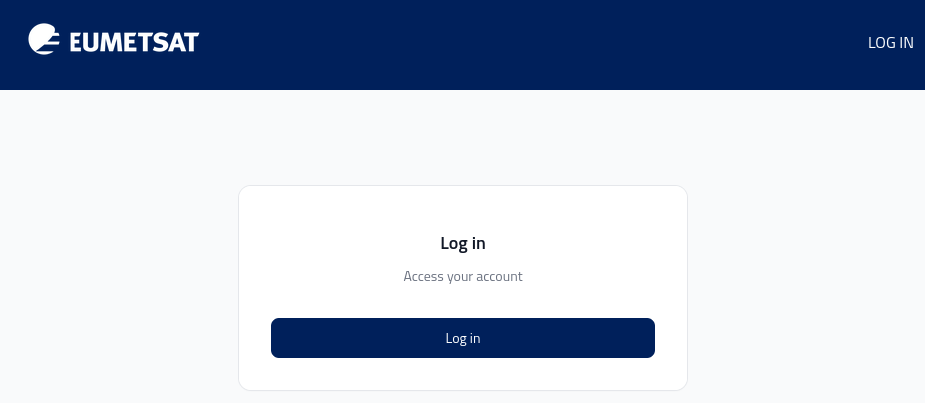
Browser-based sign-in page
The code in this article shows how to prepare authentication data for OpenStackSDK using values from an OpenStack RC file. This lets your Python code authenticate to OpenStack using Keycloak / OpenID Connect data from the same environment.
What we are going to do
Install Python and prepare a Python virtual environment.
Download an OpenStack RC file from Horizon.
Source the RC file and authenticate.
Prepare Python code that uses values from the RC file for OpenStackSDK authentication.
Prerequisites
No. 1 Python and virtual environment
You need Python, pip, and a Python virtual environment.
How to install Python virtualenv or virtualenvwrapper on cloud environment
No. 2 OpenStack RC file
The OpenStack RC file is available from Horizon. It provides environment variables used for authenticating OpenStack CLI and SDK tools.
How to install OpenStackClient for Linux on cloud environment
Step 1: Source your RC file
Download the RC file for the region you want to use. In Linux and UNIX-like environments, the file can be loaded with the source command.
After you source the file, it asks for your password and exports OpenStack environment variables whose names start with OS_.
The exact endpoints depend on the region. Use the tab for your region.
for var in $(env | sed -n 's/^\(OS.*\)=.*/\1/p'); do unset "$var"; done
export OS_AUTH_URL=https://keystone.api.r1.cloud.eumetsat.int/v3
export OS_INTERFACE=public
export OS_IDENTITY_API_VERSION=3
export OS_USERNAME="Your User Name"
export OS_REGION_NAME="R1"
export OS_PROJECT_ID="Your Project ID"
export OS_PROJECT_NAME="Your Project Name"
export OS_PROJECT_DOMAIN_ID="Your Domain ID"
echo "Please enter your OpenStack Password for project $OS_PROJECT_NAME as user $OS_USERNAME: "
read -sr OS_PASSWORD_INPUT
export OS_PASSWORD=$OS_PASSWORD_INPUT
if [ -z "$OS_USER_DOMAIN_NAME" ]; then unset OS_USER_DOMAIN_NAME; fi
if [ -z "$OS_PROJECT_DOMAIN_ID" ]; then unset OS_PROJECT_DOMAIN_ID; fi
export OS_CLIENT_ID=openstack
export OS_CLIENT_SECRET="Your Client Secret"
export OS_PROTOCOL=openid
export OS_IDENTITY_PROVIDER=ecis_provider
export OS_AUTH_TYPE=v3oidcpassword
export OS_DISCOVERY_ENDPOINT="https://identity.r1.cloud.eumetsat.int/auth/realms/ECIS/.well-known/openid-configuration"
for var in $(env | sed -n 's/^\(OS.*\)=.*/\1/p'); do unset "$var"; done
export OS_AUTH_URL=https://keystone.api.r2.cloud.eumetsat.int/v3
export OS_INTERFACE=public
export OS_IDENTITY_API_VERSION=3
export OS_USERNAME="Your User Name"
export OS_REGION_NAME="R2"
export OS_PROJECT_ID="Your Project ID"
export OS_PROJECT_NAME="Your Project Name"
export OS_PROJECT_DOMAIN_ID="Your Domain ID"
echo "Please enter your OpenStack Password for project $OS_PROJECT_NAME as user $OS_USERNAME: "
read -sr OS_PASSWORD_INPUT
export OS_PASSWORD=$OS_PASSWORD_INPUT
if [ -z "$OS_USER_DOMAIN_NAME" ]; then unset OS_USER_DOMAIN_NAME; fi
if [ -z "$OS_PROJECT_DOMAIN_ID" ]; then unset OS_PROJECT_DOMAIN_ID; fi
export OS_CLIENT_ID=openstack
export OS_CLIENT_SECRET="Your Client Secret"
export OS_PROTOCOL=openid
export OS_IDENTITY_PROVIDER=ecis_provider
export OS_AUTH_TYPE=v3oidcpassword
export OS_DISCOVERY_ENDPOINT="https://identity.r2.cloud.eumetsat.int/auth/realms/ECIS/.well-known/openid-configuration"
for var in $(env | sed -n 's/^\(OS.*\)=.*/\1/p'); do unset "$var"; done
export OS_AUTH_URL=https://keystone.cloudferro.com:5000/v3
export OS_INTERFACE=public
export OS_IDENTITY_API_VERSION=3
export OS_USERNAME="Your User Name"
export OS_REGION_NAME="FRA1-3"
export OS_PROJECT_ID="Your Project ID"
export OS_PROJECT_NAME="Your Project Name"
export OS_PROJECT_DOMAIN_ID="Your Domain ID"
echo "Please enter your OpenStack Password for project $OS_PROJECT_NAME as user $OS_USERNAME: "
read -sr OS_PASSWORD_INPUT
export OS_PASSWORD=$OS_PASSWORD_INPUT
if [ -z "$OS_USER_DOMAIN_NAME" ]; then unset OS_USER_DOMAIN_NAME; fi
if [ -z "$OS_PROJECT_DOMAIN_ID" ]; then unset OS_PROJECT_DOMAIN_ID; fi
export OS_CLIENT_ID=openstack
export OS_CLIENT_SECRET="Your Client Secret"
export OS_PROTOCOL=openid
export OS_IDENTITY_PROVIDER=ecis_provider
export OS_AUTH_TYPE=v3oidcpassword
export OS_DISCOVERY_ENDPOINT="https://identity.ela.cloud.eumetsat.int/auth/realms/ECIS/.well-known/openid-configuration"
Note
In your real RC file, keep the exact values generated by Horizon. The block above shows the structure of the variables and the regional endpoint values.
Step 2: Create Python code for OpenStackSDK authentication
In this step, you copy the required values from the RC file into your Python code.
For example, the value of OS_DISCOVERY_ENDPOINT from the RC file becomes the value of auth[‘discovery_endpoint’] in your Python code.
The discovery endpoint is region-specific:
auth["discovery_endpoint"] = "https://identity.r1.cloud.eumetsat.int/auth/realms/ECIS/.well-known/openid-configuration"
auth["discovery_endpoint"] = "https://identity.r2.cloud.eumetsat.int/auth/realms/ECIS/.well-known/openid-configuration"
auth["discovery_endpoint"] = "https://identity.ela.cloud.eumetsat.int/auth/realms/ECIS/.well-known/openid-configuration"
A basic authentication dictionary can look like this:
from openstack import connection
import os

auth = {}
auth["auth_url"] = "https://keystone.api.r1.cloud.eumetsat.int/v3"
auth["username"] = "Your E-mail Address"
auth["password"] = os.getenv("OS_PASSWORD")
auth["project_domain_id"] = "Your Domain ID"
auth["project_name"] = "Your Project Name"
auth["project_id"] = "Your Project ID"
auth["discovery_endpoint"] = "https://identity.r1.cloud.eumetsat.int/auth/realms/ECIS/.well-known/openid-configuration"
auth["client_id"] = "openstack"
auth["identity_provider"] = "ecis_provider"
auth["client_secret"] = os.getenv("OS_CLIENT_SECRET")
auth["protocol"] = "openid"
from openstack import connection
import os

auth = {}
auth["auth_url"] = "https://keystone.api.r2.cloud.eumetsat.int/v3"
auth["username"] = "Your E-mail Address"
auth["password"] = os.getenv("OS_PASSWORD")
auth["project_domain_id"] = "Your Domain ID"
auth["project_name"] = "Your Project Name"
auth["project_id"] = "Your Project ID"
auth["discovery_endpoint"] = "https://identity.r2.cloud.eumetsat.int/auth/realms/ECIS/.well-known/openid-configuration"
auth["client_id"] = "openstack"
auth["identity_provider"] = "ecis_provider"
auth["client_secret"] = os.getenv("OS_CLIENT_SECRET")
auth["protocol"] = "openid"
from openstack import connection
import os

auth = {}
auth["auth_url"] = "https://keystone.cloudferro.com:5000/v3"
auth["username"] = "Your E-mail Address"
auth["password"] = os.getenv("OS_PASSWORD")
auth["project_domain_id"] = "Your Domain ID"
auth["project_name"] = "Your Project Name"
auth["project_id"] = "Your Project ID"
auth["discovery_endpoint"] = "https://identity.ela.cloud.eumetsat.int/auth/realms/ECIS/.well-known/openid-configuration"
auth["client_id"] = "openstack"
auth["identity_provider"] = "ecis_provider"
auth["client_secret"] = os.getenv("OS_CLIENT_SECRET")
auth["protocol"] = "openid"
Replace placeholder values such as Your E-mail Address, Your Domain ID, Your Project Name, and Your Project ID with values from your RC file or from your OpenStack project configuration.
Step 3: Use the code in your application
You can now use the authentication dictionary when creating an OpenStackSDK connection.
Example:
from openstack import connection
import os

auth = {
    "auth_url": "https://keystone.api.r1.cloud.eumetsat.int/v3",
    "username": "Your E-mail Address",
    "password": os.getenv("OS_PASSWORD"),
    "project_domain_id": "Your Domain ID",
    "project_name": "Your Project Name",
    "project_id": "Your Project ID",
    "discovery_endpoint": "https://identity.r1.cloud.eumetsat.int/auth/realms/ECIS/.well-known/openid-configuration",
    "client_id": "openstack",
    "identity_provider": "ecis_provider",
    "client_secret": os.getenv("OS_CLIENT_SECRET"),
    "protocol": "openid",
}

conn = connection.Connection(
    auth=auth,
    auth_type="v3oidcpassword",
    region_name="R1",
    interface="public",
    identity_api_version="3",
)

for server in conn.compute.servers():
    print(server.name)
from openstack import connection
import os

auth = {
    "auth_url": "https://keystone.api.r2.cloud.eumetsat.int/v3",
    "username": "Your E-mail Address",
    "password": os.getenv("OS_PASSWORD"),
    "project_domain_id": "Your Domain ID",
    "project_name": "Your Project Name",
    "project_id": "Your Project ID",
    "discovery_endpoint": "https://identity.r2.cloud.eumetsat.int/auth/realms/ECIS/.well-known/openid-configuration",
    "client_id": "openstack",
    "identity_provider": "ecis_provider",
    "client_secret": os.getenv("OS_CLIENT_SECRET"),
    "protocol": "openid",
}

conn = connection.Connection(
    auth=auth,
    auth_type="v3oidcpassword",
    region_name="R2",
    interface="public",
    identity_api_version="3",
)

for server in conn.compute.servers():
    print(server.name)
from openstack import connection
import os

auth = {
    "auth_url": "https://keystone.cloudferro.com:5000/v3",
    "username": "Your E-mail Address",
    "password": os.getenv("OS_PASSWORD"),
    "project_domain_id": "Your Domain ID",
    "project_name": "Your Project Name",
    "project_id": "Your Project ID",
    "discovery_endpoint": "https://identity.ela.cloud.eumetsat.int/auth/realms/ECIS/.well-known/openid-configuration",
    "client_id": "openstack",
    "identity_provider": "ecis_provider",
    "client_secret": os.getenv("OS_CLIENT_SECRET"),
    "protocol": "openid",
}

conn = connection.Connection(
    auth=auth,
    auth_type="v3oidcpassword",
    region_name="FRA1-3",
    interface="public",
    identity_api_version="3",
)

for server in conn.compute.servers():
    print(server.name)
After this is configured, your application can authenticate to OpenStack and run OpenStackSDK operations without requiring the user to manually enter the same connection data each time.