Inviting new user to your Organization
Important
One user can only be assigned to one organization at a time.
To invite a new user to your organization you need to share an invitation code.
After logging into https://my.cloud.eumetsat.int press Invitations button on the left bar menu.
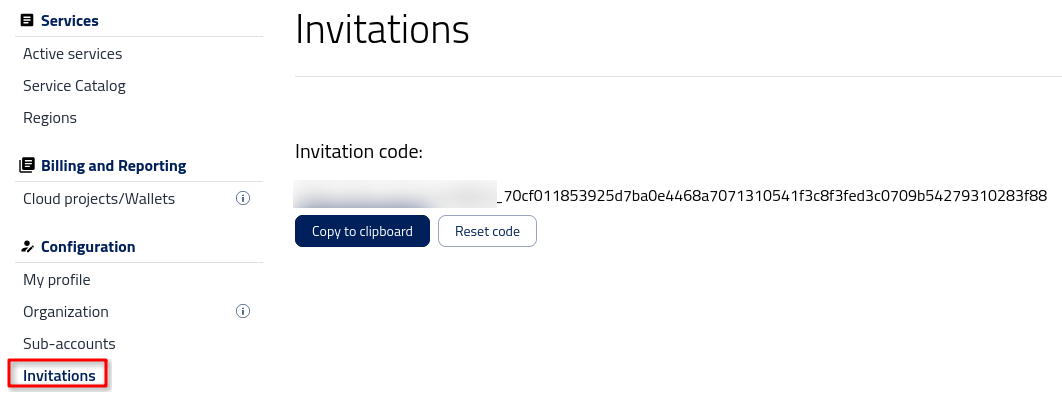
Now you can copy an invitation code by clicking on Copy to clipboard button and send it to a new user by email.
After receiving the code, the user will join the organization by
clicking Join an Organization in Organization tab and
pasting the invitation code.
As an organization admin, you need to accept the invitation first.
Go to the Invitations tab and choose an invitation that you want to accept or – in other case – reject.
After accepting the invitation you will be able to add/edit roles. For more details please check Tenant Manager users and roles